
Getting started with AIOD
This guide provides a quick tour of the AIOD - Automatic Discount and Free Gift app, highlighting the main features and where to find different types of discount templates.It’s important to note that all promotions created with the AIOD app are built on Shopify’s native discount functions, ensuring reliability and compatibility with your store. We do not use any hacks to create discounts.If you need help finding the right setup or integrating a widget, you have several support options:
- Reach out to our support team here or via in-app chat.
- Book a call with us for personalized assistance.
Step 1: Select Discount Template
While you can use AIOD’s custom rule builder to create super custom offers, AIOD also offers several pre-built templates that you can use to get started immediately.AIOD has two main options that you’d find across the discount forms.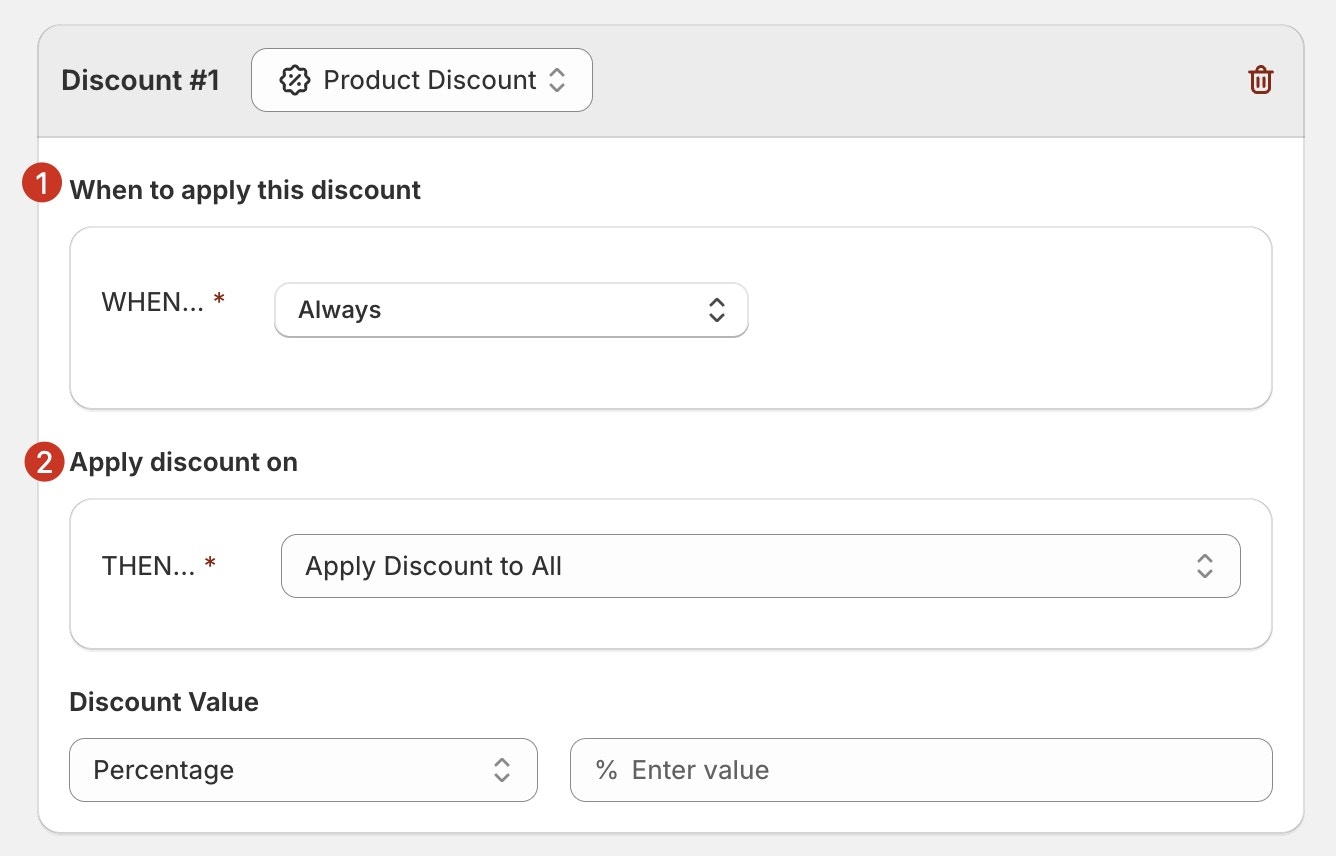
- WHEN - eligibility conditions: the condition when the discount should trigger
- THEN - eligible products: the items that should get the discount.
Free Gift with Purchase
Free Gift with Purchase
This is your go-to category for setting up freebies or free gifts with a purchase. The free gift is auto-added or manually-added (when discount code entered or claim button clicked) to cart based on the conditions.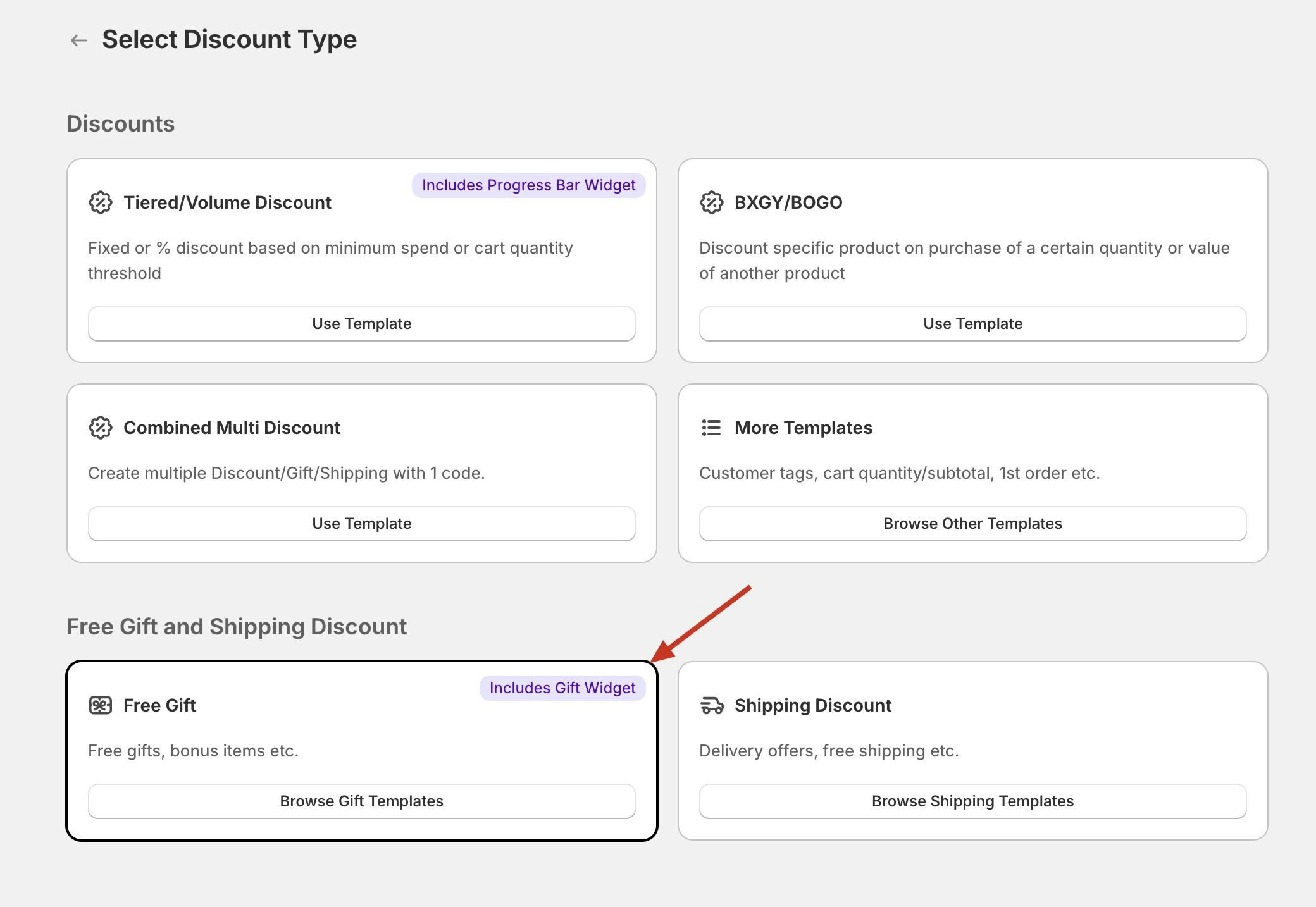
Automatic Discounts (& Code based)
Automatic Discounts (& Code based)
Below discount templates helps you create discount campaign that applies discount (automatic or code-based) to eligible items based on the eligibility conditions.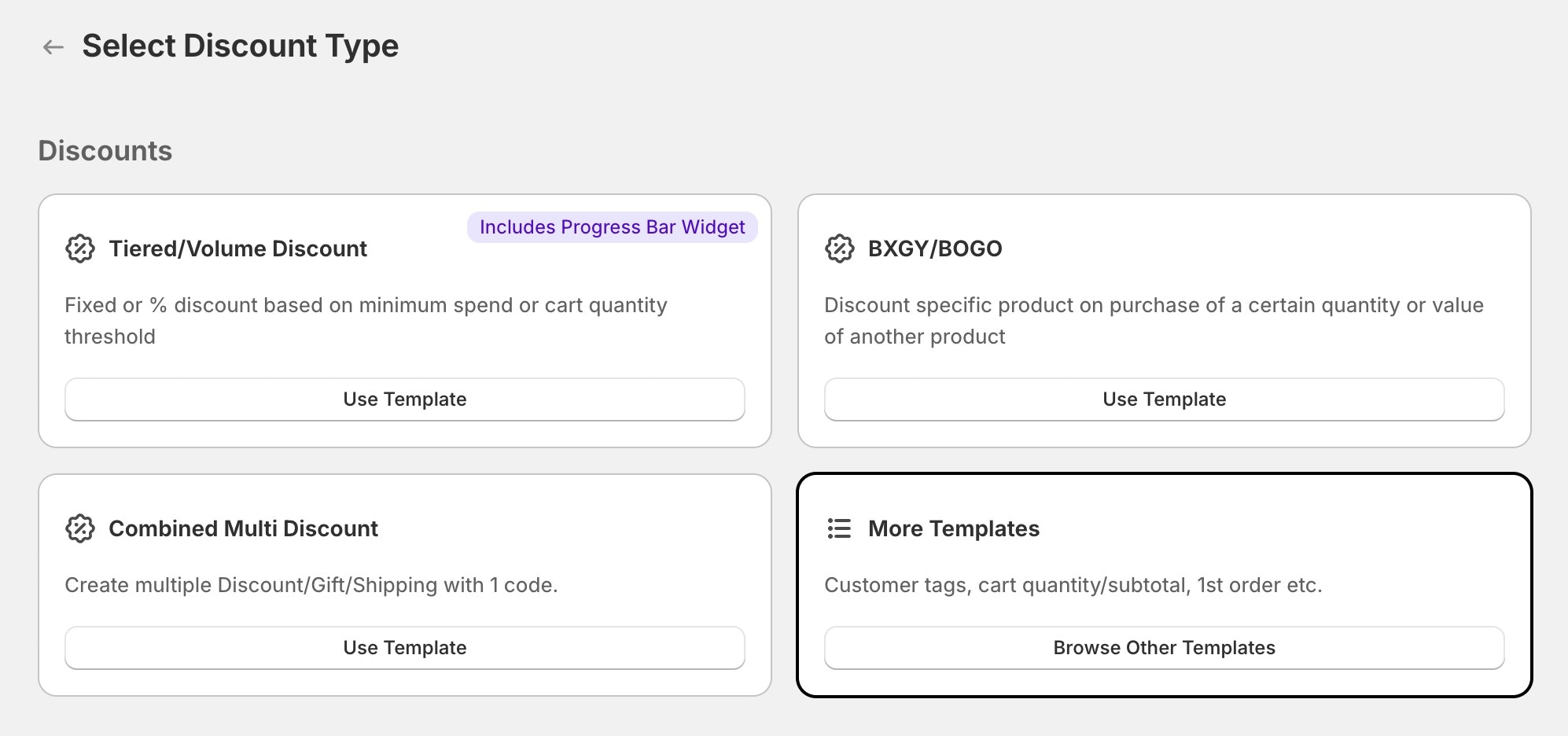
Shipping Discount
Shipping Discount
These templates lets you set up custom shipping discounts for any shipping method.
Step 2: Add Widget
Cart Widgets
Cart Widgets
Below are the cart widgets that you can use along AIOD discounts:
| AIOD Widget | Preview |
|---|---|
| Free Gift | 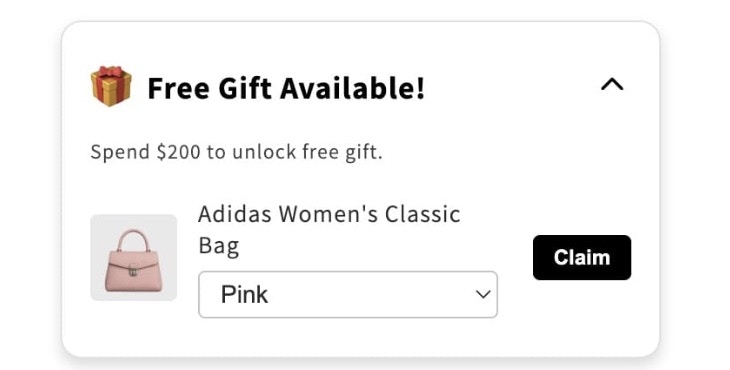 |
| Progress Bar / Goal |  |
| Discount Callout | 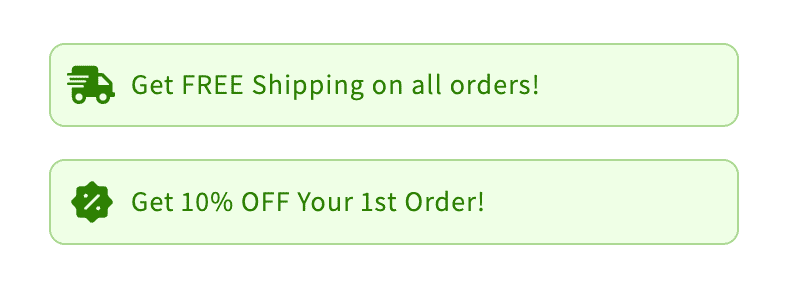 |
Product Page Widgets
Product Page Widgets
For a first change, let’s update the name and colors of your docs site.
| AIOD Widget | Preview |
|---|---|
| Discount Callout | |
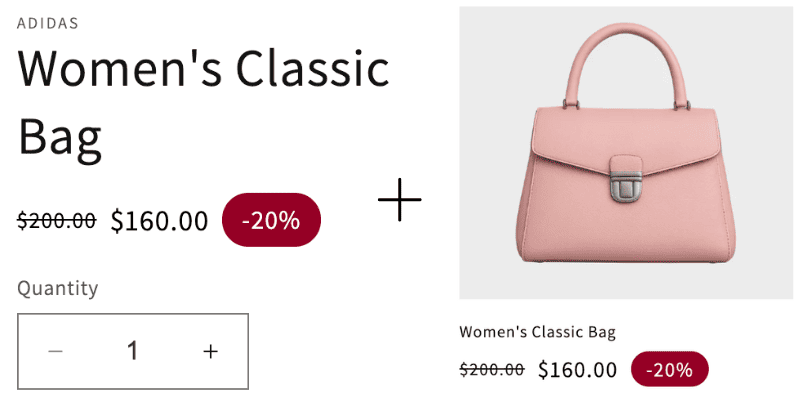
Strike-through Price
Show discounted price on product & collection pages
Strike-through Price
Show discounted price on product & collection pages
Step 3: Test & Go live
Test Discount & Widget
Test Discount & Widget
- Add items to your cart to meet the eligibility conditions,
- Check the final discount value on the checkout.
- If discount is not applying, make sure combination rules are turned on. <<check guide>>
- Check if the widgets are displaying on your theme.
- If any of the above is not how you expect, reachout to in-app support, or book a call .
Next steps
Now that you have your first discount running, explore these key features of AIOD:Write Content
Learn MDX syntax and start writing your documentation.
Customize style
Make your docs match your brand perfectly.
Add code examples
Include syntax-highlighted code blocks.
API documentation
Auto-generate API docs from OpenAPI specs.
Need help? See our full documentation or join our community.